AI Tidy Up Outdoors Tool
Clear clutter from gardens, paths and driveways.
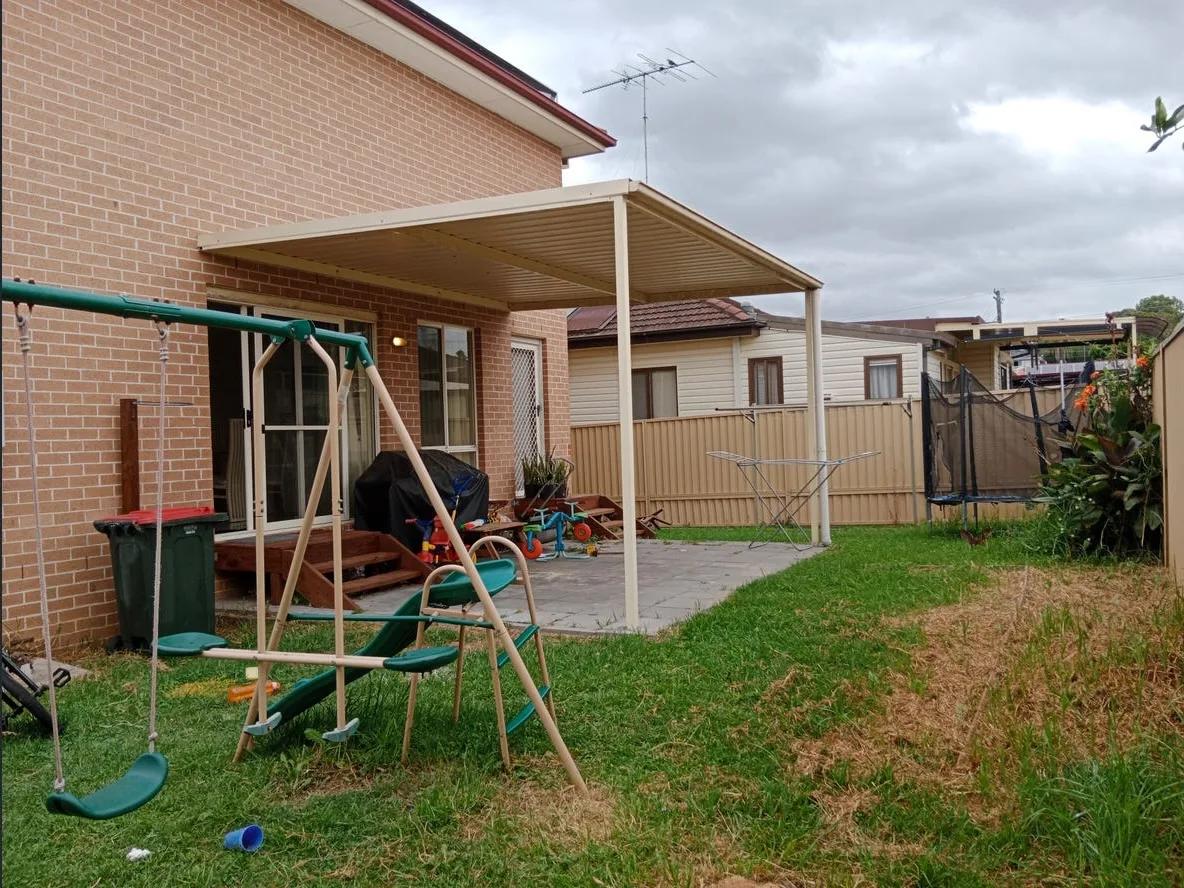
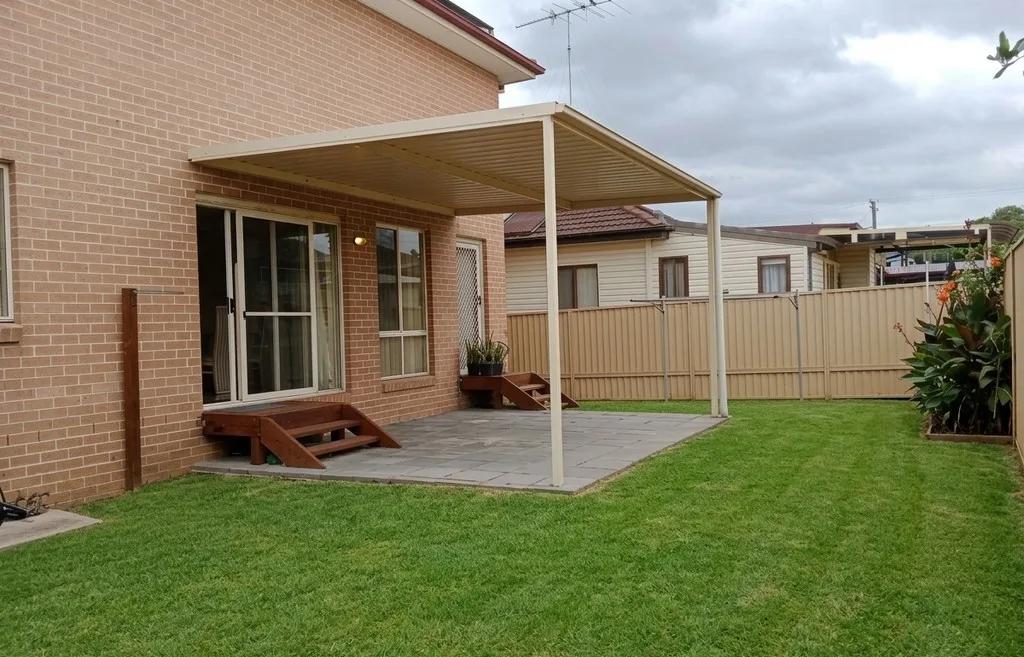
What it does
Outdoor clutter is the fastest way to make a well-kept property look neglected: a hose across the path, bins by the door, tools left against a wall, toys on the lawn.
Tidy Up Outdoors removes those objects and rebuilds the ground behind each one to match its neighbouring grass, mulch, gravel or paving, including the shadowing, so the result reads as a genuinely tidy garden rather than a retouched one.
The lawn, established planting, trees, fencing, paving and every built structure stay exactly as photographed.
Who it’s for
- Agents shooting exteriors that were not staged beforehand
- Property managers photographing between tenancies
- Property photographers who cannot move a vendor’s belongings on site
How it works
- 1Upload the exterior or garden photo.
- 2Choose Tidy Up Outdoors from the AI Studio tools.
- 3Confirm the action - the dialog explains the edit and its credit cost.
- 4Review the result and download it, or apply another edit.
Inputs & outputs
Limitations & things to check
- Objects that overlap the property itself are harder to remove cleanly than those against open ground.
- Removing objects changes what the photo shows - make sure the result still represents the property fairly.
Frequently asked questions
What exactly gets removed?
Hoses, garden tools, bins, buckets, toys, dead or straggly pot plants, loose debris and rubbish from gardens, paths, patios and driveways.
Does the lawn get fixed too?
No - this is a decluttering pass. To repair patchy or brown grass, use Restore Lawns & Grass.
Can it remove cars from the driveway?
Vehicles and overhead cabling are handled by the Remove Cars & Wires edit in the AI Studio tools.
Related tools
Restore Lawns & Grass
Our AI lawn enhancement tool cleans up patchy, worn, or uneven grass in exterior listing photos while keeping the property and outdoor layout recognizable. Upload a photo of the yard, and we improve the lawn presentation: tired grass, inconsistent coverage, and areas that make the exterior feel less polished. What’s left is a cleaner, more even-looking version of the same property, ready for your listing. No landscaping day, no reshoot, no Photoshop.
Boost Curb Appeal
Improve exterior presentation for property photos with an AI cleanup pass.
Poolside Enhancement
Make pool water and its surrounds look freshly serviced.
More resources
Read related guides in the Enhancia Knowledge Base, or see full pricing details on the pricing page.