AI Bathroom Glow Up for Real Estate Photos
Our AI Bathroom Glow Up tool makes bathroom listing photos look cleaner, brighter, and more polished without redesigning the room. Upload a bathroom image and we improve presentation around vanities, mirrors, glass, tiles, and fixtures so the same space reads more clearly. You get a listing-ready result in seconds. No manual retouching, no complex editing software, no reshoot.
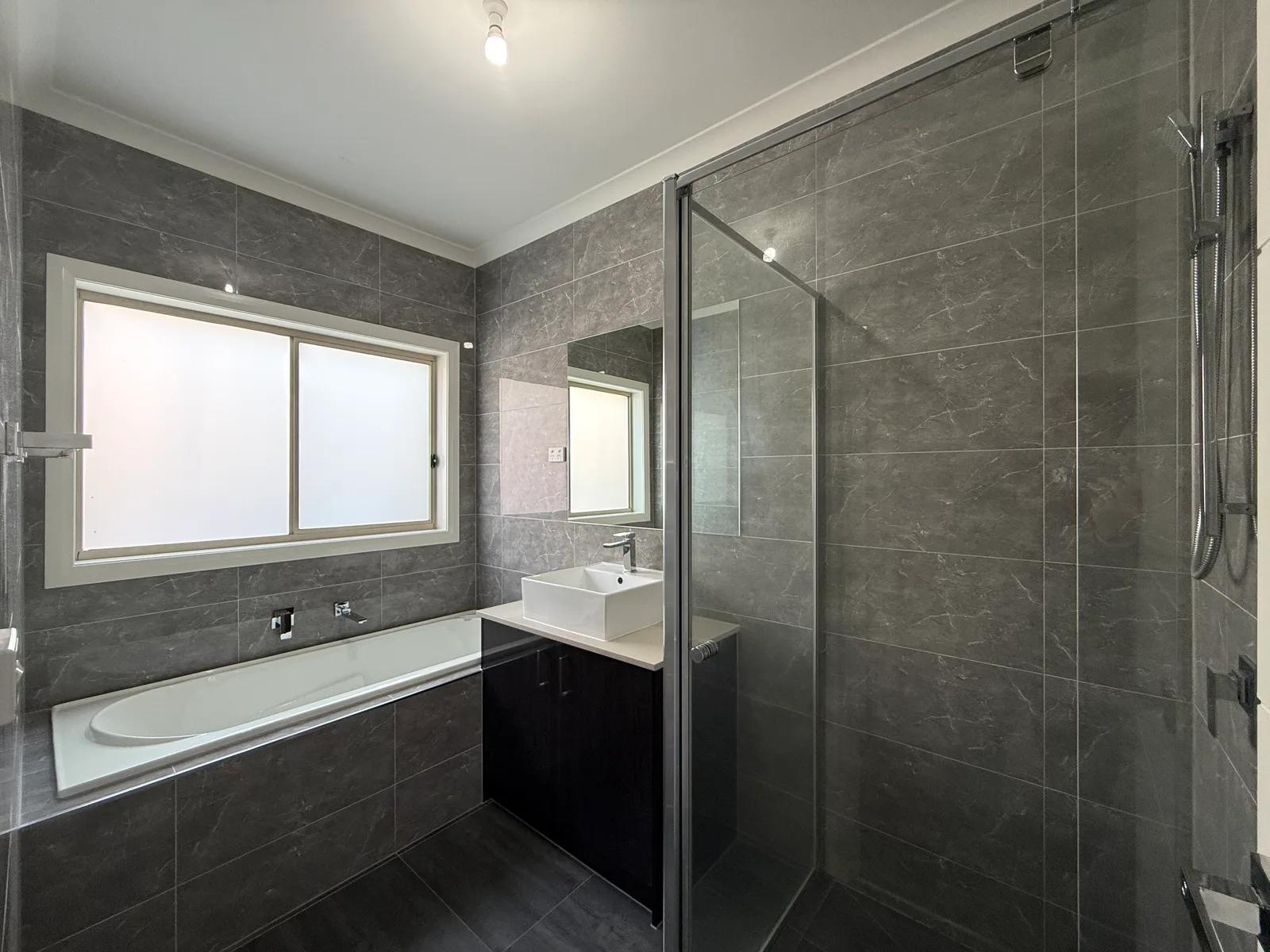
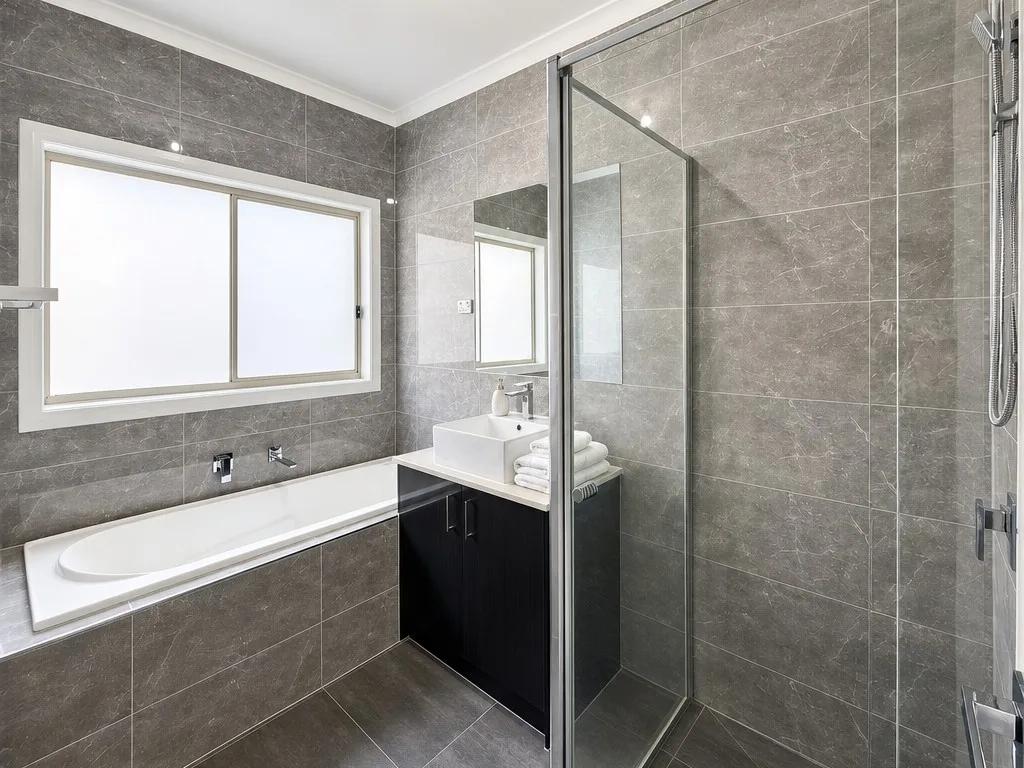
What Is AI Bathroom Photo Enhancement?
AI bathroom photo enhancement is a room-specific real estate photo editing process that improves brightness, clarity, and presentation while keeping the existing bathroom recognizable. We apply a targeted polish to surfaces, fixtures, and finishes rather than replacing the vanity, shower, bath, tiles, or layout. Upload the image and we return a cleaner-looking, brighter version of the same space.
Bathrooms combine mirrors, glass screens, gloss tile, metal tapware, white sanitaryware, and mixed light in one frame. A balanced edit helps those reflective and bright surfaces sit together naturally while preserving the property’s real appearance.
How to Glow Up a Bathroom Photo
Polishing your bathroom photo takes three steps and no editing experience:
- 1Upload your bathroom photo — Add a clear image of the bathroom from your phone or camera.
- 2Apply the room-specific edit — We run a bathroom-focused enhancement for cleaner presentation, balanced brightness, and visual clarity.
- 3Review and download — Check mirrors, glass, fixtures, and surfaces, then save your enhanced image for the listing.
Bathrooms contain reflective surfaces, so review mirrors, glass, tiles, chrome fixtures, and bright whites after processing. We improve presentation, but you should confirm the final image still represents the room’s real finishes, fittings, and condition.
Why Better Bathroom Photos Strengthen a Listing
A bathroom can be compact, reflective, and difficult to photograph well, so dull light or flat colour can make an otherwise presentable space feel less inviting on screen. Here is why agents, photographers, and property managers use a targeted bathroom enhancement before they publish:
- A cleaner first impression — Brighter, balanced presentation helps the bathroom feel fresh and cared for.
- Fixtures read more clearly — Basins, tapware, baths, showers, and vanities are easier to assess.
- Finishes stay visible — Keep detail in tiles, glass, countertops, cabinetry, and wet-area surfaces.
- Consistent listing gallery — A polished bathroom sits naturally beside other enhanced rooms.
- Fast workflow — Get a listing-ready bathroom photo in seconds without complex editing software.
What We Enhance in Bathroom Photos
Our bathroom enhancement is tuned for the visual elements that make wet-area photography different while keeping the real room recognizable:
- Vanities and basins — Brighten countertops, cabinetry, sinks, and surrounding surfaces.
- Showers and baths — Polish glass, screens, bath surfaces, and nearby finishes.
- Tiles and wet-area finishes — Help wall and floor surfaces read clearly without redesigning them.
- Mirrors and fixtures — Balance presentation around reflections, tapware, lighting, and fittings.
Bathroom Enhancement, Color Normalisation, and General Photo Editing
These edits are related, and choosing the right one keeps your real estate photo workflow focused:
- Bathroom enhancement targets presentation — a focused pass for brightness, clarity, and visual appeal.
- Color Normalisation corrects colour balance — use it when mixed lighting or a strong colour cast makes whites and finishes look inconsistent.
- AI Real Estate Photo Enhancer is broader — use it when the property image needs a wider set of listing-photo corrections beyond the bathroom-specific pass.
Use the bathroom-specific edit for a cleaner, brighter room; Color Normalisation for white-balance or colour-cast problems; and the AI Real Estate Photo Enhancer when a listing image needs broader correction.
Inputs & Outputs
Keep Your Listings Honest
- Bathroom Glow Up is about presentation, not concealment. We enhance the photo so the existing bathroom looks clearer and more polished, but the edit should never be used to hide defects, damage, maintenance issues, or permanent features that a buyer or tenant would reasonably expect to see. Review mirrors, reflections, tiles, fixtures, surfaces, and wet areas before publishing, and make sure the final image still matches the real bathroom.
Frequently Asked Questions
What does AI enhancement do to a bathroom listing photo?
It is a room-specific real estate photo editing process that improves brightness, clarity, and overall presentation. The result is a cleaner, more polished view of the existing bathroom without requiring manual retouching.
How do I make a bathroom photo look better for a real estate listing?
Upload a clear bathroom image, apply the room-specific enhancement, then review the result before downloading. We focus on cleaner presentation, balanced light, and visual clarity so the room fits naturally into a polished listing gallery.
Does the bathroom enhancement change the room or replace fixtures?
No. This tool is designed as an enhancement, not a virtual renovation. The room should remain the same recognizable space, with its existing layout, vanity, shower, bath, tiles, and fixtures represented accurately.
What should I check after enhancing a bathroom image?
Pay particular attention to mirrors, reflections, shower screens, glossy wall and floor finishes, tapware, sanitaryware, and other bright surfaces. Check that edges, fittings, materials, and visible condition still look natural before you publish.
Can I combine the bathroom enhancement with Color Normalisation?
Yes. If mixed lighting or a strong colour cast is affecting whites and finishes, Color Normalisation can help balance colour and white tones alongside the room-specific edit.
Can I try the bathroom enhancement tool for free?
Yes. We give new accounts 10 free credits, so you can test this bathroom tool on your own real estate photos before buying additional credits.
Related Tools
Color Normalisation
We make property photo color correction simple by balancing unwanted color casts, white tones, brightness, and overall tone so listing images look cleaner and more consistent before you publish them.
AI Real Estate Photo Enhancer
Our AI real estate photo enhancer gives you targeted control over the issues that make listing photos feel unfinished. Upload a property image, choose the edit it actually needs, and we improve that specific part of the photo — from colour and white balance to perspective, sky, clutter, facade presentation, or resolution. Instead of pushing one generic filter across the whole image, we help you refine the photo in focused passes, review the result, and keep building toward a clean, listing-ready finish.
More resources
Read related guides in the Enhancia Knowledge Base, or see full pricing details on the pricing page.