AI Color Normalisation for Property Photos
We make property photo color correction simple by balancing unwanted color casts, white tones, brightness, and overall tone so listing images look cleaner and more consistent before you publish them.
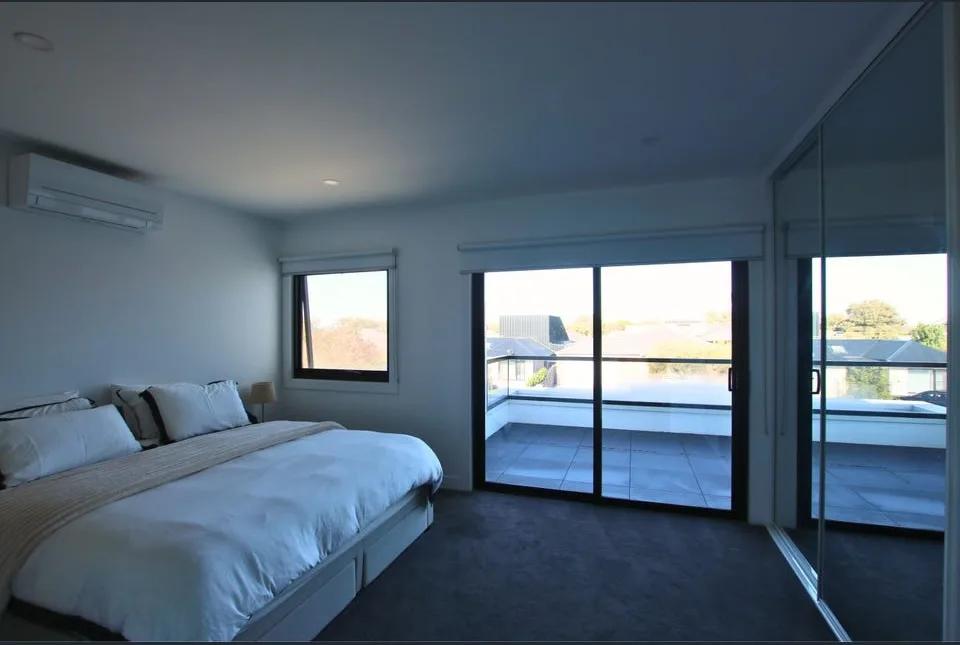
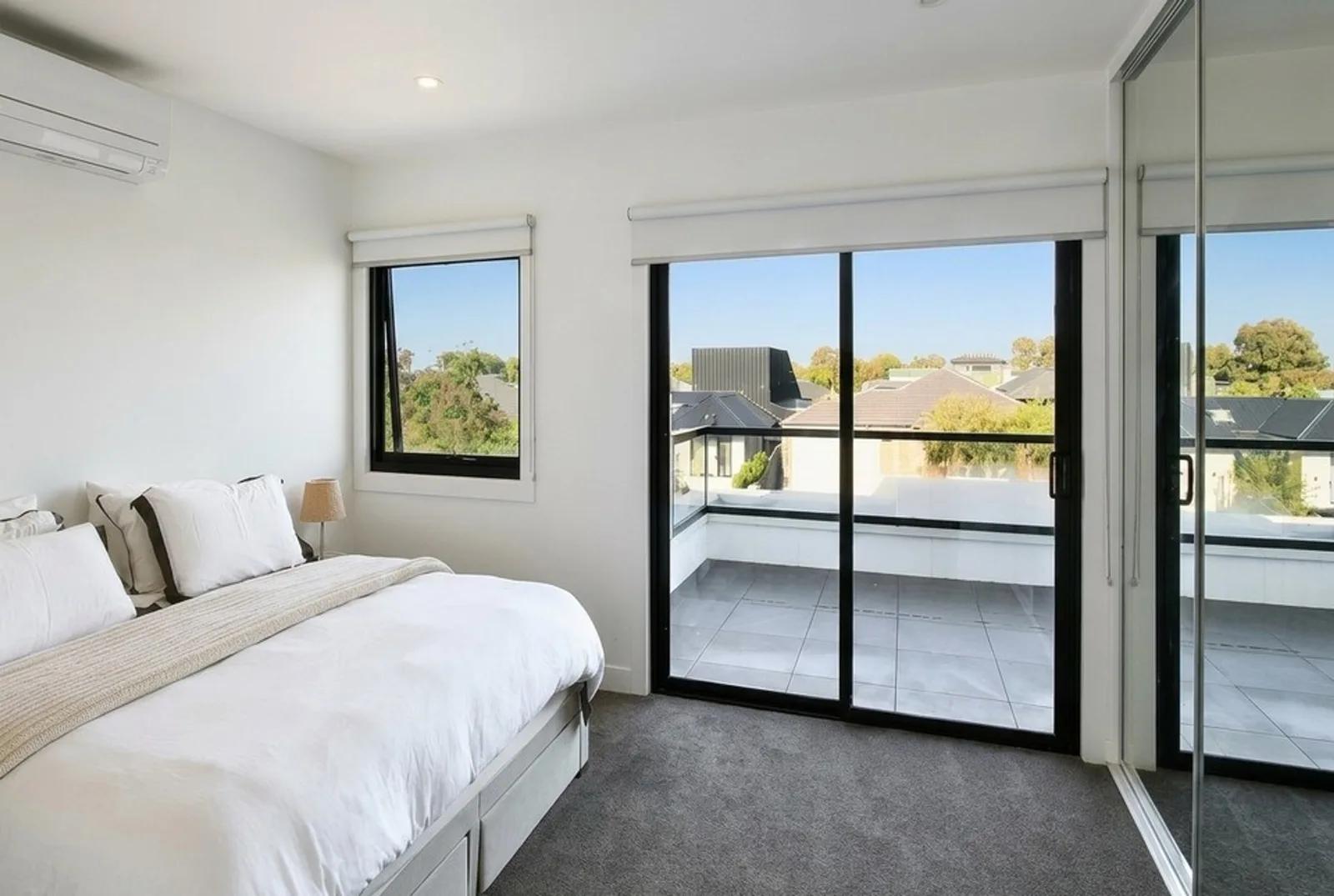
Bring Natural, Consistent Colour to Every Property Photo
With Color Normalisation, we correct uneven color balance and white balance in interior and exterior property photos. It is designed for images that look too warm, too cool, washed out, or inconsistent because of changing light.
We focus the edit on color and tonal consistency rather than unrelated changes. This helps you prepare a more cohesive listing photo set while keeping paint colors, flooring, fixtures, and finishes central to your final review.
Made for Property Professionals Who Need Consistent Images
- Real estate agents correcting inconsistent listing photos before publishing
- Property photographers standardising mixed-lighting image sets before client delivery
- Property managers keeping photos consistent across units, listings, or portfolios
Correct Property Photo Colour in Four Simple Steps
- 1Upload the property photo with an unwanted color cast or inconsistent tone.
- 2Select Color Normalisation from the Photo Enhancer.
- 3We rebalance white tones, color, brightness, and overall tone for a cleaner result.
- 4Review paint colors, flooring, and finishes, then download the corrected image.
What You Upload and What You Get
What to Check Before You Publish
- Color Normalisation cannot fully recover a severely underexposed or blurred photo. Use it for color and tone correction rather than as a replacement for a usable source image.
- Always compare paint colors, flooring, cabinetry, fixtures, and finishes with the real property before publishing. We recommend reviewing the corrected image for realistic representation.
Color Normalisation Questions, Answered
How is Color Normalisation different from general photo enhancement?
We use Color Normalisation specifically to correct unwanted colour casts, white balance, brightness, and tonal inconsistency. Our broader AI Real Estate Photo Enhancer covers other property photo issues when an image needs more than colour and tone correction.
Can Color Normalisation help a whole listing photo set look consistent?
Yes. You can apply Color Normalisation across individual property photos to reduce visible differences caused by changing light and white balance. We still recommend reviewing the completed listing set together before publishing.
What colour problems can Color Normalisation correct?
We use it for property photos that appear too warm, too cool, washed out, or uneven because of mixed natural and artificial lighting. The goal is a cleaner, more balanced image while keeping the property looking realistic.
Will Color Normalisation keep paint, flooring, and finishes accurate?
We correct colour balance rather than intentionally redesigning the property. However, lighting and source-image quality can affect the result, so we recommend comparing important paint colours, flooring, cabinetry, fixtures, and finishes with the real property before publishing.
When should I use Color Normalisation in my property photo workflow?
Use it when colour casts or inconsistent white balance make an otherwise usable property photo look uneven. After correction, review the image alongside the rest of the listing set, then continue with any other required edits or HD download.
Complete Your Property Photo Workflow
AI Real Estate Photo Enhancer
Our AI real estate photo enhancer gives you targeted control over the issues that make listing photos feel unfinished. Upload a property image, choose the edit it actually needs, and we improve that specific part of the photo — from colour and white balance to perspective, sky, clutter, facade presentation, or resolution. Instead of pushing one generic filter across the whole image, we help you refine the photo in focused passes, review the result, and keep building toward a clean, listing-ready finish.
Perspective Fix
Our AI perspective fix straightens the leaning walls and tilted lines that make property photos look off. Upload a shot where the walls seem to fall inward or the building edges lean, and we correct the verticals so everything stands straight and true — the way the room or facade actually looks in person. You get a clean, professional, properly aligned image in seconds, with no tripod, no tilt-shift lens, and no Photoshop.
Download in HD
Increase property photo resolution for sharper print and display use.
Learn More About Property Photo Editing
Read related guides in the Enhancia Knowledge Base, or see full pricing details on the pricing page.
READY TO CREATE MORE CONSISTENT PROPERTY PHOTOS?
Try Color Normalisation and prepare cleaner, more consistent property images for your next listing.
Get started with Color Normalisation