AI Cloudy to Sunny Converter for Real Estate Photos
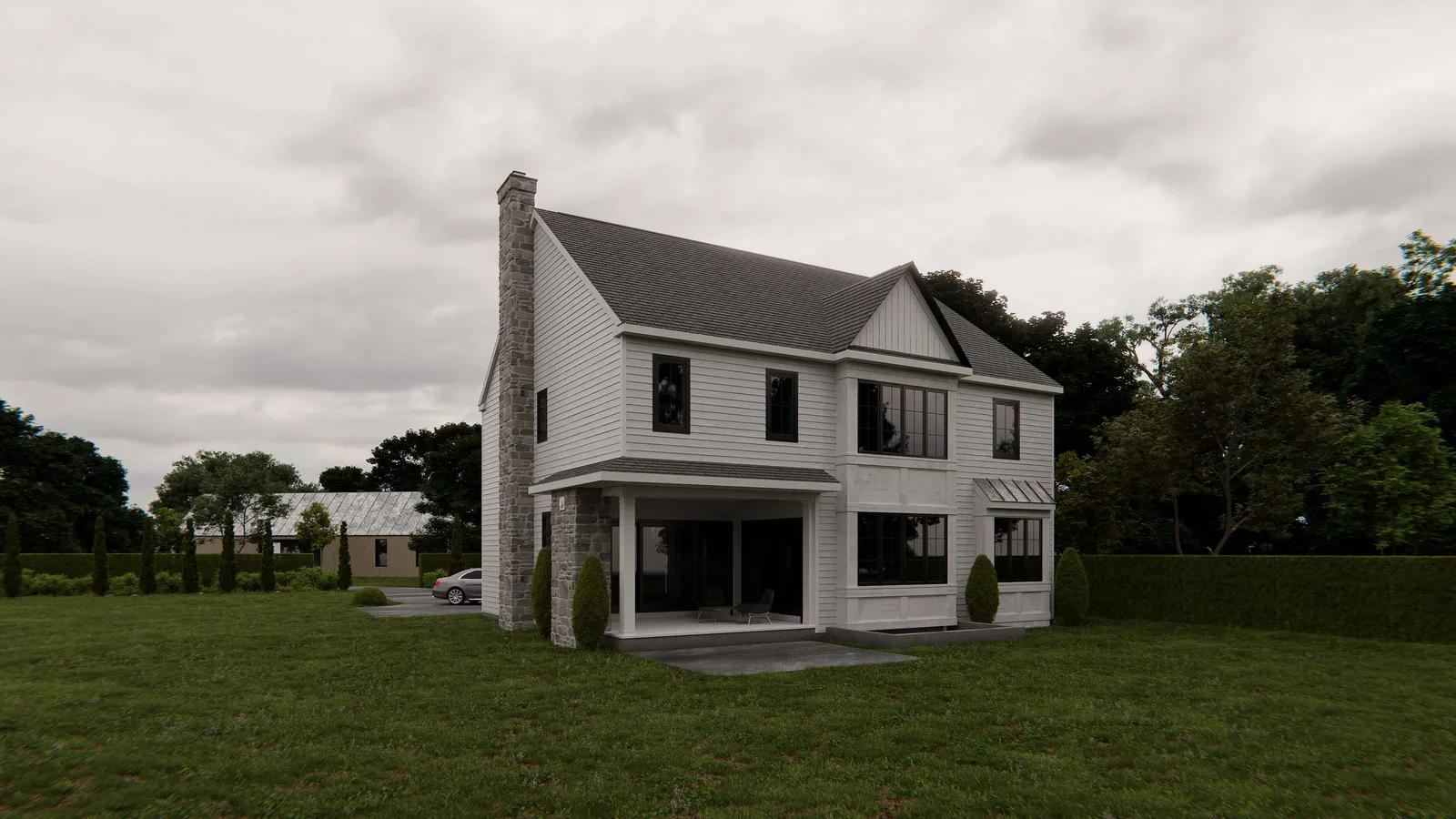
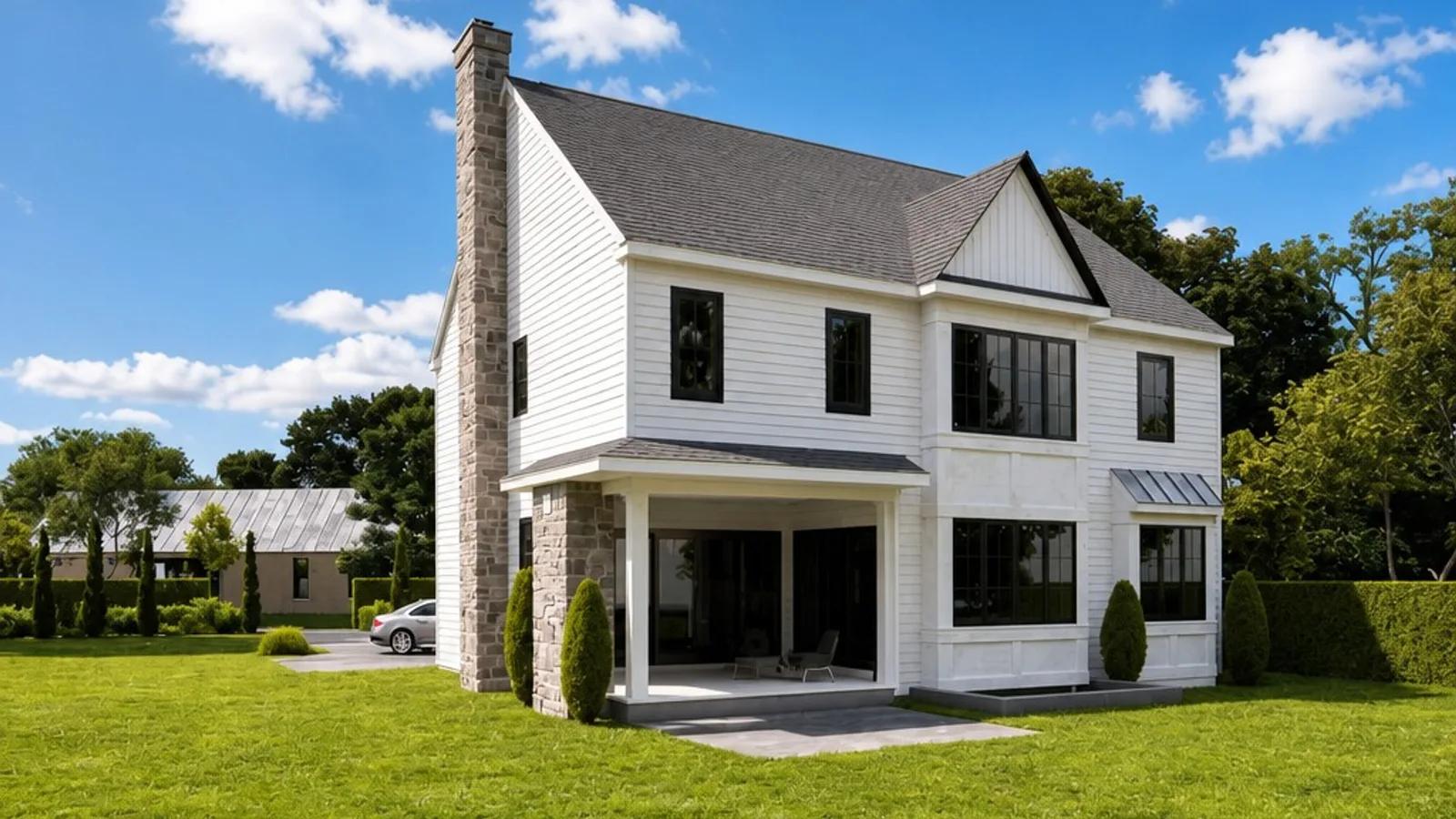
Our AI Cloudy to Sunny tool turns a flat, overcast exterior property photo into a brighter sunny-day image without changing the property itself. Upload a listing photo with a grey or white sky and dull, diffuse light, and we replace the overcast sky with a clear blue one, re-light the scene from a single sun direction, add consistent shadows, and restore the contrast that cloudy weather can flatten. The building, landscaping, driveway, rooflines, windows, fences, and other property features stay where they were. You get a cleaner, more inviting exterior image without waiting for better weather or organising another shoot.
What Is AI Cloudy to Sunny Photo Editing?
AI cloudy-to-sunny photo editing is a targeted real estate image enhancement that changes the weather and lighting of an overcast exterior photo. Cloud cover creates broad, diffuse light: skies can photograph as a pale grey wash, shadows become weak, and facade materials, roof tiles, paving, lawn, foliage, and other exterior colours can lose depth. We replace the overcast sky and re-light the existing scene so it reads like a clear sunny day while preserving the photographed property and grounds.
The important part is that sky replacement and scene relighting work together. A blue sky pasted over flat overcast lighting would look disconnected, so we infer one consistent sun position, build directional shadows, lift local contrast, and let greenery and exterior materials read more naturally in sunshine without forcing oversaturated colour. For agents and property photographers, that makes Cloudy to Sunny a practical way to rescue a good exterior composition when the weather was the only weak part of the shoot.
How to Turn a Cloudy Property Photo Sunny
Converting an overcast exterior takes three steps and no manual sky masking or relighting:
- 1Upload your photo — Add the exterior listing image with a grey sky, flat cloud cover, or dull overcast light.
- 2Convert cloudy to sunny — We replace the overcast sky, re-light the scene, add shadows from one consistent sun position, and lift exterior contrast.
- 3Download or refine — Compare the sunny version with the original, save the edited JPEG, or continue with another property-photo enhancement.
The lighting relationship matters as much as the sky. We keep rooflines, branches, windows, facade edges, landscaping, driveway boundaries, fences, and other structures in place while changing the atmosphere around them. Before publishing, compare the result with your original and check shadow direction, fine edges against the sky, reflective surfaces, and any property details that strong sunlight makes more noticeable.
Why Sunny-Day Presentation Helps Exterior Listings
Overcast weather can make an accurate property photo feel flatter and less inviting than the same exterior under clear daylight. A controlled cloudy-to-sunny conversion helps agents, photographers, and property managers present an existing shot more strongly when a reshoot is impractical:
- A clearer hero image — Replace a blank grey sky with a brighter blue sky that gives the exterior more visual separation.
- More readable facade materials — Directional light and stronger contrast help brick, render, timber, roofing, paving, and other surfaces show more depth.
- Greenery looks livelier — Lawn, trees, hedges, and garden planting can regain the colour and dimensionality lost under flat cloud cover.
- No weather-dependent reshoot — Improve an otherwise useful exterior photo when the original appointment happened on an overcast day.
- A more consistent listing gallery — Bring dull exterior shots closer to the bright, polished presentation of the rest of your property marketing.
Overcast Photo Problems We Can Improve
Cloudy to Sunny is designed for exterior property photos where cloud cover has flattened the sky and the scene lighting, while the property itself remains clearly visible:
- Grey or white overcast skies — featureless cloud cover that makes the top of the frame feel dull or washed out.
- Flat diffuse lighting — weak direction in the light, with little shadow definition across the facade, driveway, garden, and exterior surfaces.
- Muted exterior colour — brick, render, roofing, paving, timber, lawn, and foliage reading duller than they would under clear daylight.
- Low scene contrast — architectural edges, landscaping, and material textures lacking the separation that directional sunlight can create.
Cloudy to Sunny, Rainy to Sunny, and Add Clouds to the Sky
These Enhancia weather and sky tools solve different exterior-photo problems, so choosing the right one keeps the edit focused:
- Cloudy to Sunny changes overcast weather — we replace the grey sky and re-light a dry exterior scene with sunny-day contrast and consistent directional shadows.
- Rainy to Sunny handles wet-weather cleanup — it also removes puddles, standing water, rain streaks, lens droplets, and the dark saturated look of rain-soaked surfaces.
- Add Clouds to the Sky keeps the existing weather — it adds natural cloud detail to a flat, empty sky without re-lighting the property or changing the time of day.
Use Cloudy to Sunny when the property is clearly photographed and the main problem is dry, overcast weather. If rain, puddles, or wet surfaces are part of the shot, use Rainy to Sunny instead. If the light is already good and the sky simply looks too empty, Add Clouds to the Sky is the lighter-touch option.
Inputs & Outputs
Keep the Property Accurate
- Cloudy to Sunny changes weather and lighting for presentation; it should not be used to alter the property itself. We preserve the building, landscaping, driveway, boundaries, and objects in frame, but the sunny lighting and shadow direction are inferred from the source image rather than recovered from the actual weather on the day. Heavy fog, rain, or very low light also gives the AI less usable detail to work with. Always review the sunny result against the original and confirm that architecture, materials, windows, gardens, access areas, and other relevant property features are still represented honestly before you publish the image.
Frequently Asked Questions
What is an AI Cloudy to Sunny photo converter?
It is a real estate photo-editing tool that turns a dry, overcast exterior image into a sunny-day presentation. We replace the grey sky, re-light the scene, add consistent directional shadows, and lift contrast while keeping the photographed property and grounds in place.
How do I change a cloudy property photo to sunny?
Upload the overcast exterior photo, choose Cloudy to Sunny, confirm the edit, and let us process the weather and lighting change. Compare the result with your original before downloading or applying another enhancement.
Does Cloudy to Sunny change the building or landscaping?
No. The edit is scoped to the sky and scene lighting. The building, driveway, landscaping, fences, and other objects are intended to remain as photographed, but you should still review the final image before publishing.
What is the difference between Cloudy to Sunny and Rainy to Sunny?
Cloudy to Sunny is for dry, overcast shots with flat light. Rainy to Sunny goes further by addressing wet-weather details such as puddles, standing water, rain streaks, lens droplets, and rain-darkened surfaces.
Will the sunny lighting and shadows look natural?
We infer one consistent sun position so the relighting, contrast, and shadows work together rather than looking like a pasted sky. Because the true sun position was not present in an overcast photo, shadow direction is still an AI estimate and should be checked before publishing.
Can I try Cloudy to Sunny for free?
Yes. New Enhancia accounts receive 10 free credits with no credit card required, so you can test Cloudy to Sunny on your own exterior property photos before buying more credits.
Related Tools
Rainy to Sunny
Our AI Rainy to Sunny tool turns wet, gloomy exterior listing photos into clear, sunlit property images without changing the building, landscaping, or objects in frame. Upload a rainy exterior, and we clear the heavy grey sky, puddles, standing water, rain streaks, and visible droplets while taking the dark, water-soaked look off paving, roofing, and facade surfaces. We then re-light the scene with warm directional sunlight and consistent shadows, giving you a brighter, drier version of the same property ready for marketing.
Add Clouds to the Sky
Our AI Add Clouds to the Sky tool gives blank, featureless skies natural cloud detail without replacing the whole sky or changing the property below it. Upload an exterior listing photo with a flat clear sky, and we add soft, realistic clouds with believable scale and perspective towards the horizon. We keep the existing sky colour and time of day, match the cloud lighting to the sun direction already suggested by the scene, and preserve rooflines, branches, aerials, landscaping, and the building itself. The result is a more balanced, listing-ready exterior image without manual masking or compositing.
More resources
Read related guides in the Enhancia Knowledge Base, or see full pricing details on the pricing page.