AI Perspective Fix for Real Estate Photos
Our AI perspective fix straightens the leaning walls and tilted lines that make property photos look off. Upload a shot where the walls seem to fall inward or the building edges lean, and we correct the verticals so everything stands straight and true — the way the room or facade actually looks in person. You get a clean, professional, properly aligned image in seconds, with no tripod, no tilt-shift lens, and no Photoshop.
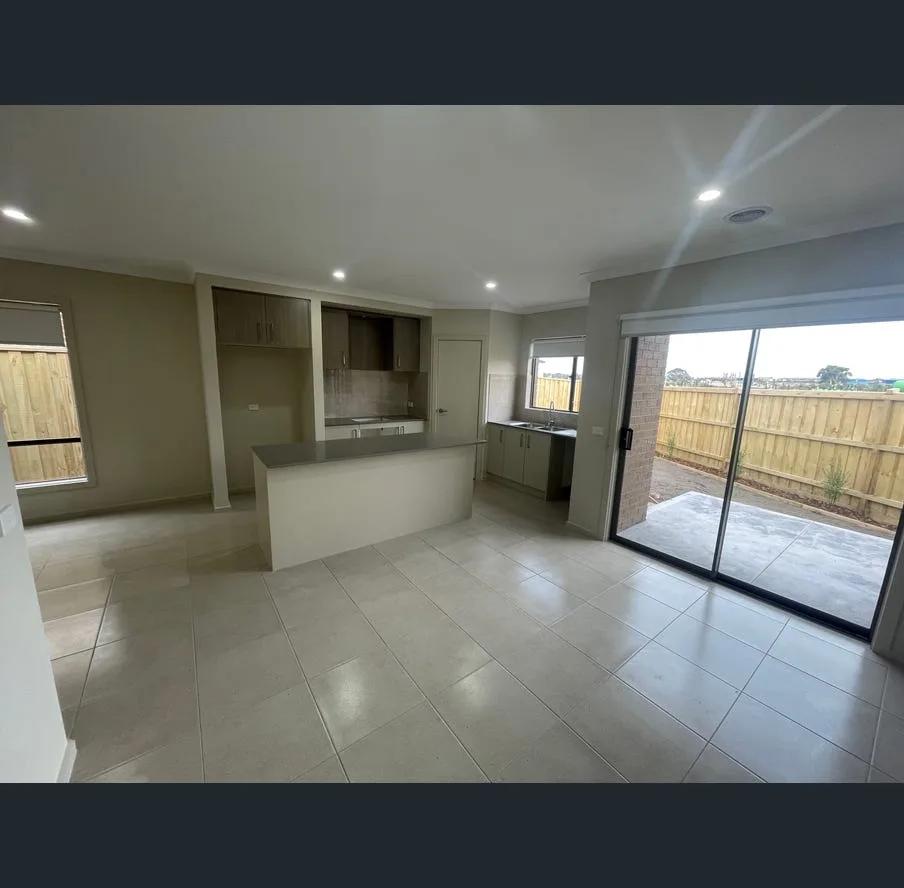
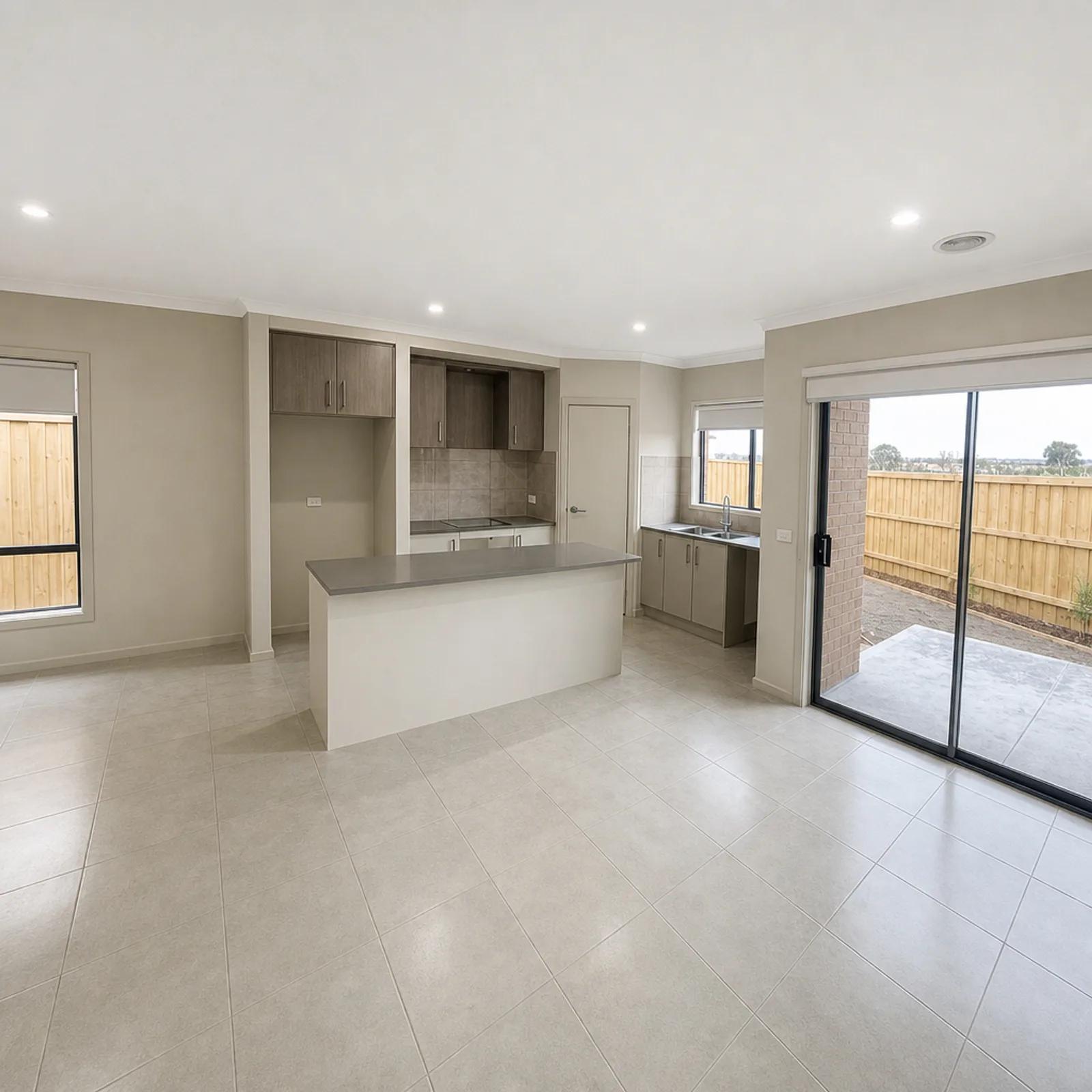
What Is Perspective Correction?
Perspective correction is a photo edit that straightens the converging vertical lines caused by tilting the camera up or down, or by shooting with a wide lens. In real estate photos this shows up as walls that lean inward, doorways that look crooked, and buildings that seem to topple backwards — an effect photographers call keystoning. Our AI perspective fix detects those leaning lines and rebalances the image so verticals run straight, giving you the clean, architectural look that professional property photography is known for.
It’s one of the most noticeable differences between an amateur snap and a professional listing photo. Straight walls read as calm, spacious, and well-shot; leaning walls make even a beautiful room feel awkward and off-balance.
How to Fix Perspective in a Photo
Straightening your photo takes three steps and no editing experience:
- 1Upload your photo — Add the shot with leaning walls or tilted lines, straight from your phone or camera.
- 2Fix the perspective — We detect the converging verticals and correct them so walls and edges stand straight.
- 3Download or refine — Save your straightened image in high resolution, or regenerate for a cleaner result.
A good perspective fix is more than a simple tilt. We straighten the verticals while keeping the room’s proportions natural, so the correction looks effortless rather than stretched — the walls come true without the photo feeling warped.
Why Straight Lines Make a Listing Look Professional
Buyers may not name it, but they feel it: a photo with straight walls looks polished, while one with leaning walls looks amateur. Here’s why agents and photographers correct perspective before publishing:
- An instantly professional look — Straight verticals are the signature of quality property photography.
- Rooms that feel calm and spacious — Aligned walls make a space feel bigger and more settled than tilted ones.
- Accurate representation — Straightened lines show the room the way it really looks, not the way the lens bent it.
- Fix wide-lens distortion — Correct the lean that wide-angle shots almost always introduce indoors.
- A consistent, cohesive gallery — Every photo aligns, so the whole listing looks considered.
Which Photos Benefit Most
Perspective fix helps any shot with strong vertical lines that have started to lean. You’ll see the biggest improvement on:
- Interior rooms — where walls, doorways, and corners lean in from a tilted or wide-angle shot.
- Building exteriors — where the facade appears to topple backwards in the frame.
- Tall or narrow spaces — hallways, stairwells, and rooms shot from close range.
- Wide-angle photos — the go-to lens for real estate, and the one that leans the most.
AI Perspective Fix vs a Photoshop Perspective Fix
There are two common ways to straighten a property photo, and they differ on time and skill:
- A Photoshop perspective fix — full manual control with tools like transform and lens correction, but it takes know-how and careful adjustment per image to avoid a stretched look.
- AI perspective fix with Enhancia — you upload and we straighten the verticals automatically in seconds, keeping the proportions natural, with no masking or manual transforms.
If you live in Photoshop, the manual route gives you fine control. If you’d rather not adjust corner points by hand on every shot, our AI gives you the same straight, professional result on demand.
Inputs & Outputs
Keep Your Listings Honest
- A perspective fix corrects how the camera bent the lines — it doesn’t change the property. We straighten the verticals so the photo matches how the space actually looks to the eye; we don’t alter the room’s real dimensions, features, or proportions. Used this way, a corrected photo is a truer representation of the property than the leaning, lens-distorted original.
Frequently Asked Questions
What is perspective correction in real estate photos?
Perspective correction straightens the leaning walls and converging vertical lines caused by tilting the camera or using a wide lens. It gives property photos the clean, straight-walled look of professional real estate photography.
How do I fix perspective in a photo?
Upload the photo with leaning walls or tilted lines, let our AI straighten the verticals, and download the corrected result. It takes seconds and needs no editing skills.
Why do my real estate photos have leaning walls?
Leaning walls happen when the camera is tilted up or down, or when a wide-angle lens is used, which is common indoors. This makes vertical lines converge, an effect known as keystoning. Perspective fix corrects it.
Is AI perspective fix better than a Photoshop perspective fix?
A Photoshop perspective fix gives full manual control but takes skill and careful adjustment per image. Our AI straightens the verticals automatically in seconds while keeping proportions natural, so it’s faster for anyone who doesn’t want to adjust transforms by hand.
Does perspective fix distort the room?
No. We straighten the verticals while keeping the room’s proportions natural, so the correction looks effortless rather than stretched. The property’s real dimensions and features stay as they are.
Related Tools
AI Real Estate Photo Enhancer
Our AI real estate photo enhancer gives you targeted control over the issues that make listing photos feel unfinished. Upload a property image, choose the edit it actually needs, and we improve that specific part of the photo — from colour and white balance to perspective, sky, clutter, facade presentation, or resolution. Instead of pushing one generic filter across the whole image, we help you refine the photo in focused passes, review the result, and keep building toward a clean, listing-ready finish.
Day to Dusk
Our AI day to dusk tool turns your ordinary daytime exterior into a warm, golden-hour twilight shot in seconds. Upload a photo taken in flat midday light, and we relight the sky, warm the tones, and switch on the window lights so your property glows the way it would at dusk. It’s the single most eye-catching edit in real estate photography — and you get it without waiting for the perfect evening, without a tripod, and without touching Photoshop.
More resources
Read related guides in the Enhancia Knowledge Base, or see full pricing details on the pricing page.