AI Kitchen Shine Up for Real Estate Photos
Our AI Kitchen Shine Up tool brightens and polishes kitchen listing photos so the room feels clean, clear, and ready to market - without redesigning the kitchen or changing its layout. Upload a kitchen photo, and we improve how key details read in the frame: cabinetry, benchtops and countertops, splashbacks, appliances, sinks, tapware, and reflective finishes. The result is a sharper, more balanced version of the same kitchen, ready for you to review before publishing. No manual retouching, no generic one-click filter.
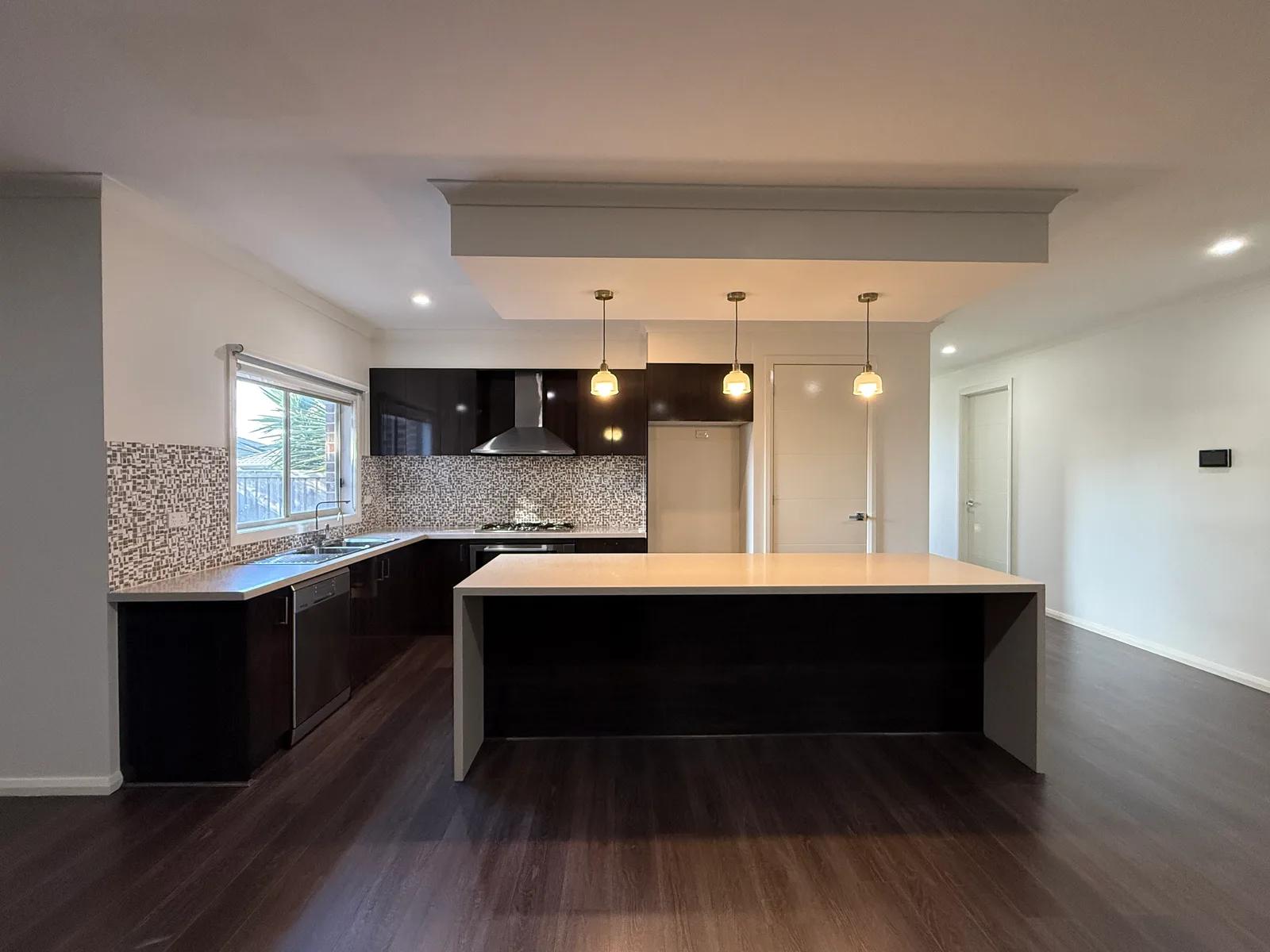
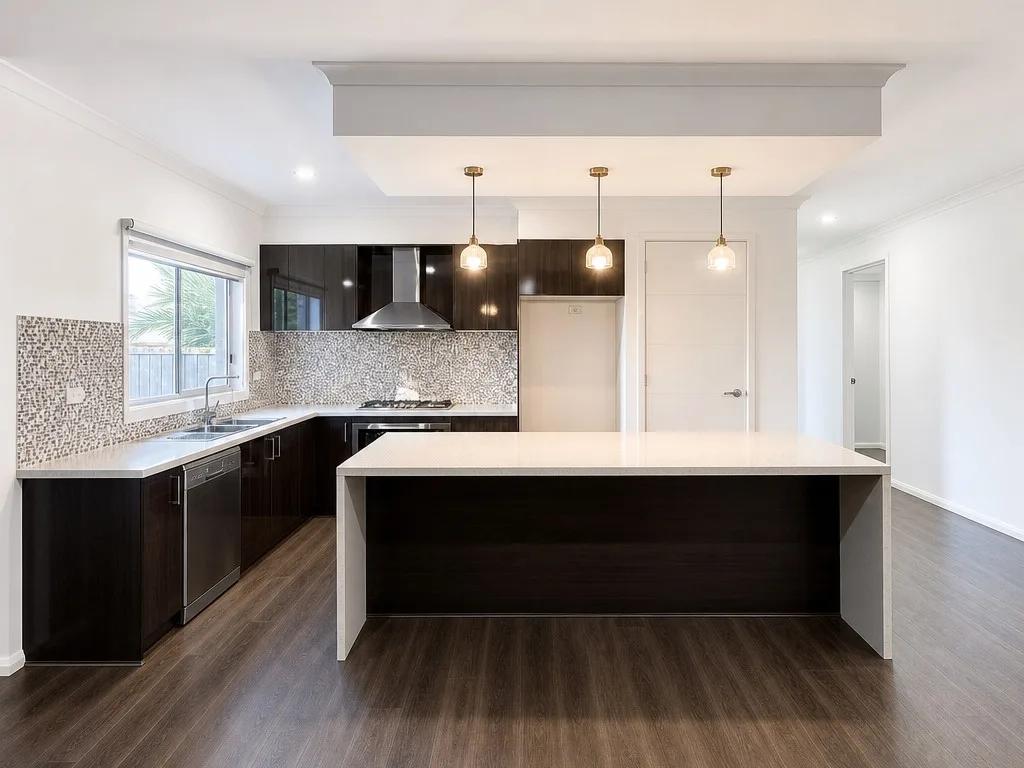
What Is AI Kitchen Photo Enhancement?
AI kitchen photo enhancement is a room-specific real estate photo editing process that improves lighting, detail, and overall presentation while preserving the actual kitchen. Instead of applying a broad filter to every room, we focus the edit on how surfaces and fittings appear in a listing image - from cabinet faces and worktops to tiled splashbacks, integrated appliances, chrome fixtures, and glossy finishes. You upload the photo, and we return a cleaner, more polished view of the same space for you to review.
A strong kitchen image should make the room easy to understand at a glance. Clear joinery lines, readable work surfaces, balanced light, and visible fixtures help the photo communicate layout and finishes without unnecessary visual noise. Kitchen Shine Up gives you that targeted presentation polish and keeps the property itself at the centre of the image.
How to Enhance a Kitchen Photo
Polishing a kitchen listing photo takes three simple steps and no editing experience:
- 1Upload your kitchen photo - Add a clear image from your phone, camera, or existing listing set.
- 2Apply Kitchen Shine Up - We improve lighting, definition, and kitchen-specific presentation without replacing or redesigning the room.
- 3Review and download - Check cabinetry, surfaces, appliances, fixtures, and reflections, then save the enhanced image when it looks accurate.
The review step matters because kitchens contain straight cabinet lines, glossy appliances, stone or laminate surfaces, glass, metal, and other details that can reveal editing artifacts quickly. We recommend comparing the enhanced image with your original before publishing so edges, reflections, material finishes, and fixed features still represent the room accurately.
Why a Polished Kitchen Photo Strengthens a Listing
Kitchen photos carry a lot of visual information in one frame: layout, storage, work surfaces, fixtures, appliances, lighting, and finishes. For agents, property managers, and photographers, a targeted enhancement can make those elements easier to read without turning the image into a renovation concept. Here’s where Kitchen Shine Up adds the most value:
- Brighter room presentation - Lift a dull-looking kitchen so key surfaces and features are easier to see.
- Clearer finishes and fixtures - Help cabinetry, worktops, tiled walls, sinks, taps, and major appliances read cleanly in the frame.
- More listing-ready imagery - Give kitchen photos a polished look before they go into a property listing or marketing campaign.
- Less manual post-production - Apply a kitchen-specific enhancement without building the edit from scratch in traditional software.
- A consistent professional finish - Prepare kitchen imagery that sits more naturally alongside the rest of an edited listing set.
Kitchen Details the Enhancement Helps Present Clearly
Kitchen Shine Up is built around the visual elements that matter most in real estate kitchen photography, improving presentation without replacing the room itself:
- Cabinetry and joinery - Help doors, drawers, handles, shelving, and cabinet lines read with better clarity.
- Benchtops and splashbacks - Improve the presentation of work surfaces, edges, stone, tile, laminate, and wall finishes.
- Appliances and fixtures - Keep ovens, cooktops, rangehoods, sinks, tapware, and fixed fittings clear and identifiable.
- Reflective and glossy surfaces - Review stainless steel, glass, polished stone, tile, and other reflective materials carefully after processing.
Kitchen Shine Up, Color Normalisation, and Declutter
These tools solve different photo problems, and choosing the right edit keeps your workflow predictable:
- Kitchen Shine Up is the room-specific polish - we refine lighting, detail, and overall kitchen presentation for a cleaner listing image.
- Color Normalisation focuses on colour balance - use it when white tones, lighting, or colour casts make the kitchen look too warm, cool, or inconsistent.
- Declutter removes small distractions - use it when benchtops, shelves, or visible surfaces are crowded with movable everyday items.
Use Kitchen Shine Up when the kitchen itself needs a cleaner, brighter presentation. If the main problem is an unnatural colour cast, use Color Normalisation; if small objects are distracting from the room, use Declutter. You can apply targeted edits as needed rather than asking one filter to solve every problem.
Inputs & Outputs
Keep Your Kitchen Listings Accurate
- Kitchen enhancement is about presentation, not reconstruction. We improve how the room reads in the photo, but the cabinetry, worktops, built-in appliances, plumbing fixtures, fixed fittings, and visible condition should still represent the real property. Always check cabinet lines, countertop edges, appliance shapes, reflections, and surface finishes before publishing. If the source image is very dark, blurry, or heavily obstructed, a better original may be needed rather than a stronger edit.
Frequently Asked Questions
What is AI Kitchen Shine Up for real estate photos?
Kitchen Shine Up is a room-specific AI photo enhancement for kitchen listing images. It refines exposure, detail, and presentation while preserving the real kitchen and its fixed features.
How do I enhance a kitchen photo with AI?
Upload the kitchen image, choose Kitchen Shine Up in the Photo Enhancer, let us process the photo, then review cabinetry, surfaces, appliances, fixtures, and reflections before downloading the result.
Is Kitchen Shine Up different from general photo enhancement?
Yes. Kitchen Shine Up is tuned specifically for kitchen presentation. The broader AI Real Estate Photo Enhancer includes multiple targeted edits for different issues, rooms, and property-photo workflows.
Can Kitchen Shine Up fix poor kitchen lighting?
It can improve many brightness and presentation issues, but a severely underexposed, blurry, or heavily obstructed source photo can limit the result. In those cases, a clearer original image may work better.
Does Kitchen Shine Up change cabinets, appliances, or fixtures?
It is designed to improve presentation rather than redesign the kitchen. Review cabinetry, countertops, appliances, tapware, reflections, and fixed fixtures so the final image still represents the property accurately.
Can I use Kitchen Shine Up with Color Normalisation or Declutter?
Yes. Use Color Normalisation when colour or white balance is the main issue, and Declutter when small movable items are distracting from the kitchen. Kitchen Shine Up can then provide the room-specific presentation polish.
Related Tools
Bathroom Glow Up
Our AI Bathroom Glow Up tool makes bathroom listing photos look cleaner, brighter, and more polished without redesigning the room. Upload a bathroom image and we improve presentation around vanities, mirrors, glass, tiles, and fixtures so the same space reads more clearly. You get a listing-ready result in seconds. No manual retouching, no complex editing software, no reshoot.
AI Real Estate Photo Enhancer
Our AI real estate photo enhancer gives you targeted control over the issues that make listing photos feel unfinished. Upload a property image, choose the edit it actually needs, and we improve that specific part of the photo — from colour and white balance to perspective, sky, clutter, facade presentation, or resolution. Instead of pushing one generic filter across the whole image, we help you refine the photo in focused passes, review the result, and keep building toward a clean, listing-ready finish.
More resources
Read related guides in the Enhancia Knowledge Base, or see full pricing details on the pricing page.