AI Night to Daytime Converter for Real Estate Photos
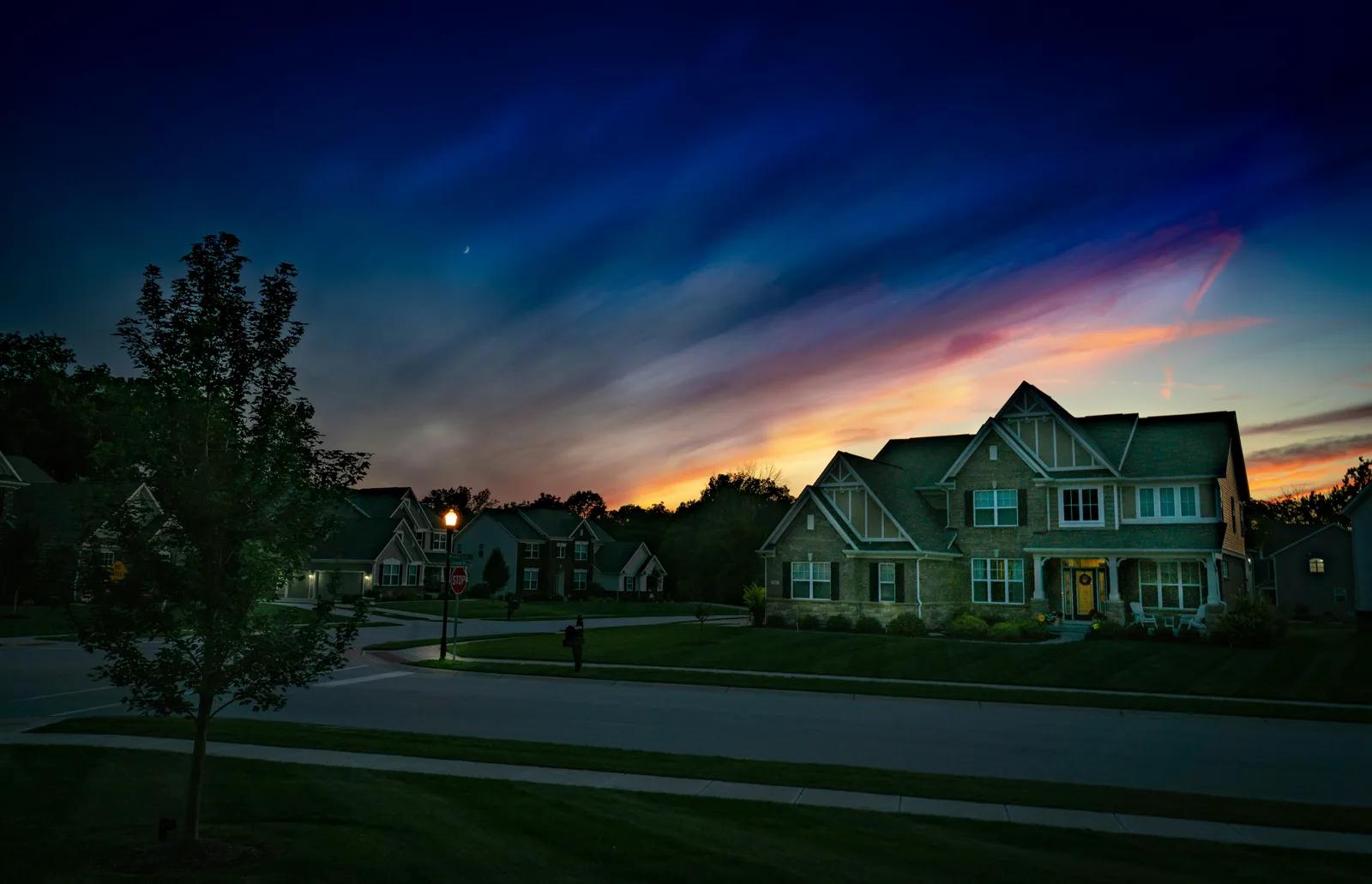
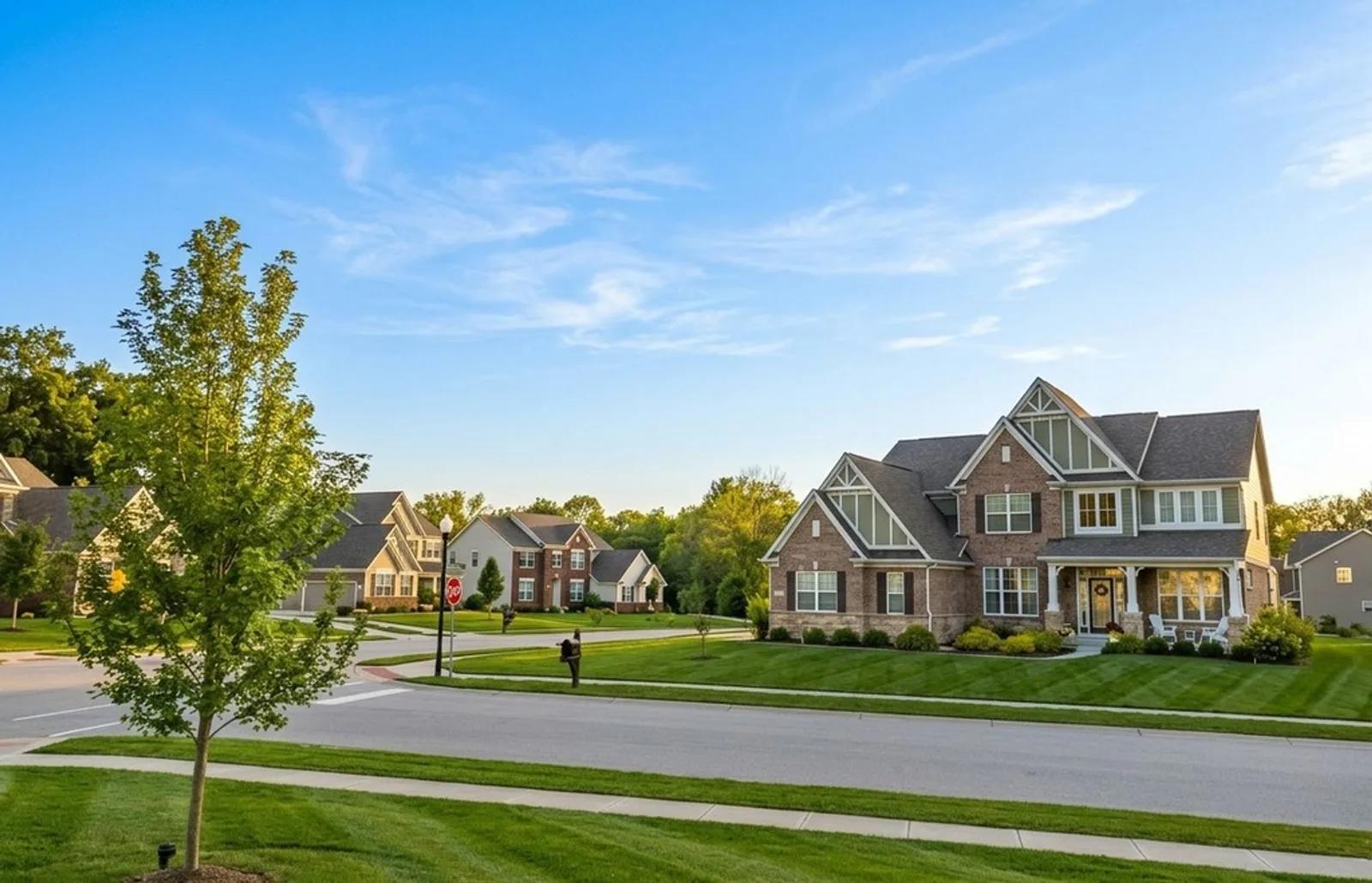
Our AI Night to Daytime tool turns a dark exterior property photo into a cleaner daylight presentation without changing the building or grounds themselves. Upload a night-time listing image and we replace the night sky with a daytime one, rebalance the scene with natural-looking daylight, reduce the orange cast from porch and street lighting, and bring back visibility in the facade, roofline, landscaping, driveway, and street. We also reduce light bloom, lens flare, noise, and grain that can make after-dark property photography look harsh or muddy. You get a brighter, more readable exterior image without arranging another daytime shoot.
What Is AI Night to Daytime Photo Editing?
AI night-to-daytime photo editing is a real estate image enhancement that converts an exterior photographed after dark into a daylight-style image. Night photography often hides architectural detail in shadow while porch lights, street lamps, and long exposures introduce warm colour casts, light bloom, flare, high-ISO noise, and grain. We re-light the scene for daytime readability, restore more natural-looking colour to visible materials and greenery, and keep the photographed building, landscaping, access areas, and other property features in place.
The quality of the source image matters. Areas that still contain visible exposure usually give us more real detail to work with; areas recorded as pure black contain no recoverable scene information, so any missing content has to be reconstructed plausibly and reviewed carefully. For agents, photographers, and property managers, Night to Daytime is most useful when the composition is good but the shoot happened too late for a clear daytime listing image.
How to Turn a Night Property Photo into Daylight
Converting an after-dark exterior takes three steps and no manual relighting or colour correction:
- 1Upload your photo — Add the night-time exterior image from your phone, camera, or existing property shoot.
- 2Convert night to daytime — We replace the night sky, rebalance the scene with daylight, reduce artificial colour cast, and clean common night-shooting artefacts.
- 3Download or refine — Compare the daylight version with the original, save the edited JPEG, or continue with another property-photo enhancement.
The review step matters because this is a substantial lighting conversion. Check facade lines, roof edges, windows, fences, plants, driveways, vehicles, street details, and any region that was extremely dark in the original. We aim to preserve the property itself while changing the lighting conditions around it, but reconstructed areas should always be checked before the image is used in a listing or campaign.
Why Daylight Presentation Can Rescue an After-Dark Shoot
A night exterior can be atmospheric, but it often hides the information buyers need from a standard property listing image. A controlled night-to-day conversion helps agents, photographers, and property managers make an otherwise useful exterior shot easier to read:
- More visible architecture — Bring the facade, roofline, windows, entry, driveway, and exterior boundaries out of deep shadow.
- More natural material colour — Reduce the orange or yellow cast from street lights and exterior lamps so brick, render, timber, roofing, and paving read more like daylight.
- Clearer landscaping — Restore visibility and more natural colour relationships across lawn, trees, hedges, planting, and other outdoor areas.
- Cleaner low-light capture — Reduce light bloom, lens flare, noise, and grain that can distract from the property in a night photograph.
- No repeat daytime shoot — Salvage a strong composition when access was only available after dark or a scheduled shoot ran late.
Night-Time Photo Problems We Can Improve
Night to Daytime is designed for exterior property photos where darkness and artificial lighting are the main presentation problems while the property itself is still identifiable:
- Deep shadow and low exposure — facades, rooflines, gardens, driveways, and street context disappearing into darkness.
- Artificial colour cast — orange, amber, or yellow tones from porch lights, street lamps, and exterior lighting affecting material colour.
- Light bloom and lens flare — bright lamps creating halos, glare, flare, or washed-out patches around light sources.
- Noise and grain — speckled low-light texture from high ISO or long exposures reducing clarity across darker surfaces.
Night to Daytime, Day to Dusk, and Cloudy to Sunny
These Enhancia lighting and weather tools solve different exterior-photo problems, so choosing the right one keeps the edit focused:
- Night to Daytime changes the time-of-day presentation — we convert an after-dark exterior into daylight, remove common night-light artefacts, and improve visibility across the scene.
- Day to Dusk goes the opposite direction — it takes a daytime exterior into warm twilight, with a dusk sky and glowing interior or exterior lights.
- Cloudy to Sunny keeps the photo in daytime — it replaces dull overcast conditions with a brighter blue sky, directional sunlight, and stronger sunny-day contrast.
Use Night to Daytime when darkness, artificial lighting, and low-light capture are the main problems. Use Day to Dusk when you deliberately want an evening marketing look from a daytime source, and Cloudy to Sunny when the photo is already daylight but the weather is flat and overcast.
Inputs & Outputs
Keep the Property Accurate
- Night to Daytime changes lighting and time-of-day presentation; it should not be used to invent or conceal property features. We keep the building and grounds as the subject of the original image, but detail that was recorded as pure black cannot be recovered from the source and may need to be reconstructed. Because this is one of the larger lighting conversions, results depend heavily on source quality. Always compare the daylight result with the original and confirm that architecture, rooflines, windows, boundaries, landscaping, access areas, vehicles, and other relevant property details are represented honestly before publishing.
Frequently Asked Questions
What is an AI Night to Daytime photo converter?
It is a real estate photo-editing tool that converts a night-time exterior into a daylight-style image. We replace the night sky, re-light the scene, reduce artificial colour cast and common low-light artefacts, and improve visibility while keeping the property itself as the subject of the original photo.
How do I turn a night property photo into daytime?
Upload the night exterior, choose Night to Daytime, confirm the edit, and let us process the lighting conversion. Compare the result with your original before downloading it or applying another enhancement.
How much detail can Night to Daytime recover?
Areas that contain some exposure usually provide more usable detail. Regions that are completely black contain no captured information, so the AI has to reconstruct a plausible equivalent. Those areas should be reviewed especially carefully before publishing.
Does it remove orange street-light colour and glare?
Yes. The conversion is designed to reduce artificial orange or yellow colour cast along with light bloom, lens flare, noise, and grain that commonly appear in night-time property photography.
What is the difference between Night to Daytime and Day to Dusk?
They solve opposite lighting problems. Night to Daytime converts an after-dark exterior into daylight, while Day to Dusk takes a daytime exterior into a warm twilight presentation with dusk lighting and glowing lights.
Can I try Night to Daytime for free?
Yes. Enhancia currently gives new users 10 free credits with no credit card required, so you can test Night to Daytime on your own property image before buying additional credits.
Related Tools
Day to Dusk
Our AI day to dusk tool turns your ordinary daytime exterior into a warm, golden-hour twilight shot in seconds. Upload a photo taken in flat midday light, and we relight the sky, warm the tones, and switch on the window lights so your property glows the way it would at dusk. It’s the single most eye-catching edit in real estate photography — and you get it without waiting for the perfect evening, without a tripod, and without touching Photoshop.
Cloudy to Sunny
Our AI Cloudy to Sunny tool turns a flat, overcast exterior property photo into a brighter sunny-day image without changing the property itself. Upload a listing photo with a grey or white sky and dull, diffuse light, and we replace the overcast sky with a clear blue one, re-light the scene from a single sun direction, add consistent shadows, and restore the contrast that cloudy weather can flatten. The building, landscaping, driveway, rooflines, windows, fences, and other property features stay where they were. You get a cleaner, more inviting exterior image without waiting for better weather or organising another shoot.
More resources
Read related guides in the Enhancia Knowledge Base, or see full pricing details on the pricing page.